I really do not like using Windows every day. In fact, I've actually found that I tend to use my new Thinkpad laptop more often than my actual powerful PC, which isn't great because it gives me yet another excuse to stay in bed all day. I just prefer the ecosystem and vibe of Linux that much.
So a few weeks ago, I removed Windows 11 from my main PC (which, for future reference, I'm going to call "Juicebox") and replaced it with Linux Mint. And I absolutely love it, it feels great to use and developing stuff on it is SO much easier!
But, if you know me well enough, then you'll know this isn't an uncommon occurence. I tend to switch operating systems a lot, and each time I switch to Windows I know I've lost a battle against myself. So, why do I switch so often? Well, it's simple really.
- I love using Linux Mint
- ...but FL Studio runs the best on Windows.
FL Studio has been the driving reason behind all my transitions back to Windows. I can't live without it! I love making music, and even just opening the DAW and playing around with sounds is such a fun way to kill time. But, after endless transitions and going back and forth, transferring files, re-formatting my SSDs... I've had enough.
I want a permanent solution. I want to:
- Stay on Linux Mint
- ..but have FL Studio always available.
So let's figure out a solution. Because as soon as we do, it's likely I'll never transition operating systems ever again.
What I've considered
Wine
Wine is a "compatibility layer", as the developers call it (but really, we can just call it an emulator and call it a day) that allows you to run Windows programs in a Linux environment. When I switch over to Linux I usually just think,"oh, why don't I just run FL Studio through Wine?"
...but the problem with Wine is that it isn't perfect. It's not "emulating" a Windows system, technically, but instead recreating it and simulating its behaviour, and it's not perfect, which means that software which uses non-standard libraries like FL often runs into issues. And these issues have been enough for me to know that running FL Studio 25 on Wine is just not a viable option for me.
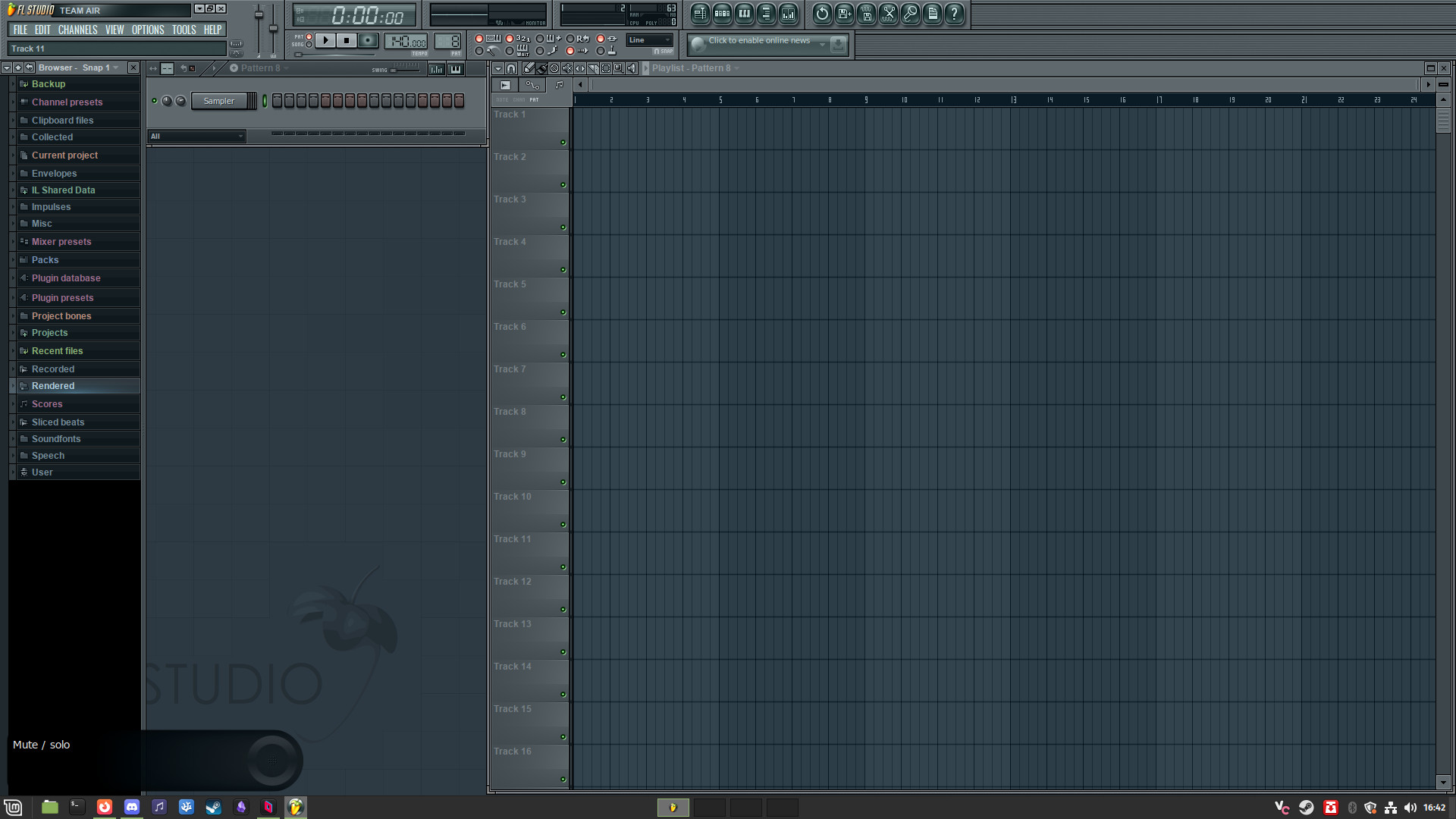
That being said, FL Studio 10 works just fine, as you can see from the screenshot below! But compared to FL Studio 25, this version lacks a lot of features that I rely on when it comes to making music, specifically the lack of a stem extraction tool.
Dual-booting
Dual-booting is the practice of storing two operating systems in a single computer, either by storing them both on one drive or storing them in their own separate drives. Dual booting worked as the solution before, but there's one main caveat that comes with it.The workflow is atrocious. Sometimes I want to work on music quite spontaneously without switching the system that my computer is running! Because each time I wanted to work on music, I'd have to restart my entire computer. And it makes it very annoying when I only want to work on something for a few minutes. It's a solution, but not an ideal one! I believe I've come up with something a little bit better.
Dedicated server
What if we separated FL Studio from my computer entirely? Instead of depending on the system I use on my PC, we just isolate it onto its own machine, that I can remotely connect to at any time to work on my beats. Think about it! Not only would it mean that I don't need to worry about my main PC's operating system, but it also solves another problem I have relating to modularity; I can work on my projects on multiple devices (PC, laptop) without needing to transfer the project files between them!I believe this is my ideal option. I wanted to get a second opinion, but not a single one of my friends is versed enough in this area to know what they're talking about, so I've got the next best thing.
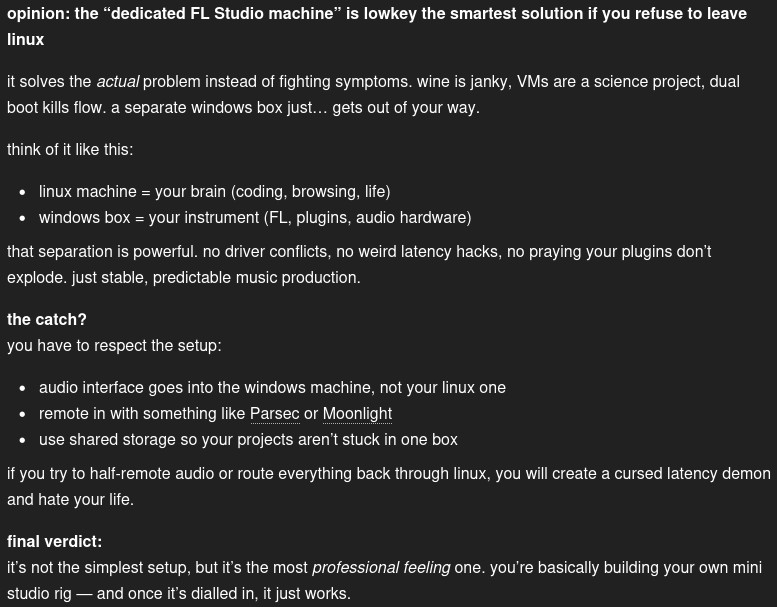
Seems like this is the way to go, so let's start planning out how we're going to do this.
The Search for the perfect FL Studio Machine
I've figured out that, if I want to do this, I need to think about what exactly what I want to create a machine capable of handling my style. What I mean by that, is that I need to consider the following questions when looking at a machine:- Does it have enough space to store my plugins/projects?
- Can it run FL Studio smoothly, on top of my typical plugins?
- Is it the right size?
The "right size" question might seem odd, but I've already figured out that I want to store this server under my desk at home, because the connection there is reliable and it guarantees that no one will try to tamper with it. We're going to be looking for one of those "mini-PCs" you see in libraries, small enough to be a nice desk decoration.
After some careful thinking, here's the minimum of what I want my PC to have:
- 500GB SSD Storage (I have a 500GB SSD spare, so this is optional)
- 8GB RAM (minimum)
- A decent enough CPU (we'll be querying ChatGPT for this one)
- Very small form factor
So without further ado, let's explore the web and see what we can find that meets our specs.
Stone Refurb
Stone is a company in the UK that sells cheap enterprise-grade PCs in bulk to schools, workplaces, libraries and so on. They also have a "Refurb" branch, which sells PCs that have been refurbished for a cheap price. We're going to be looking at their Refurb site. Fun fact, I bought my first ever PC from them!Here's a listing I found that interested me. They allow the option to upgrade to 16GB RAM for £30, which would be quite nice, and it's the exact form factor I was looking for. The CPU is also apparently quite good, sporting 6 cores with a clock of up to 3.7GHz. It does sit quite pricey though, at £215. If we can't find a cheaper, better listing anywhere else, this is the go-to.
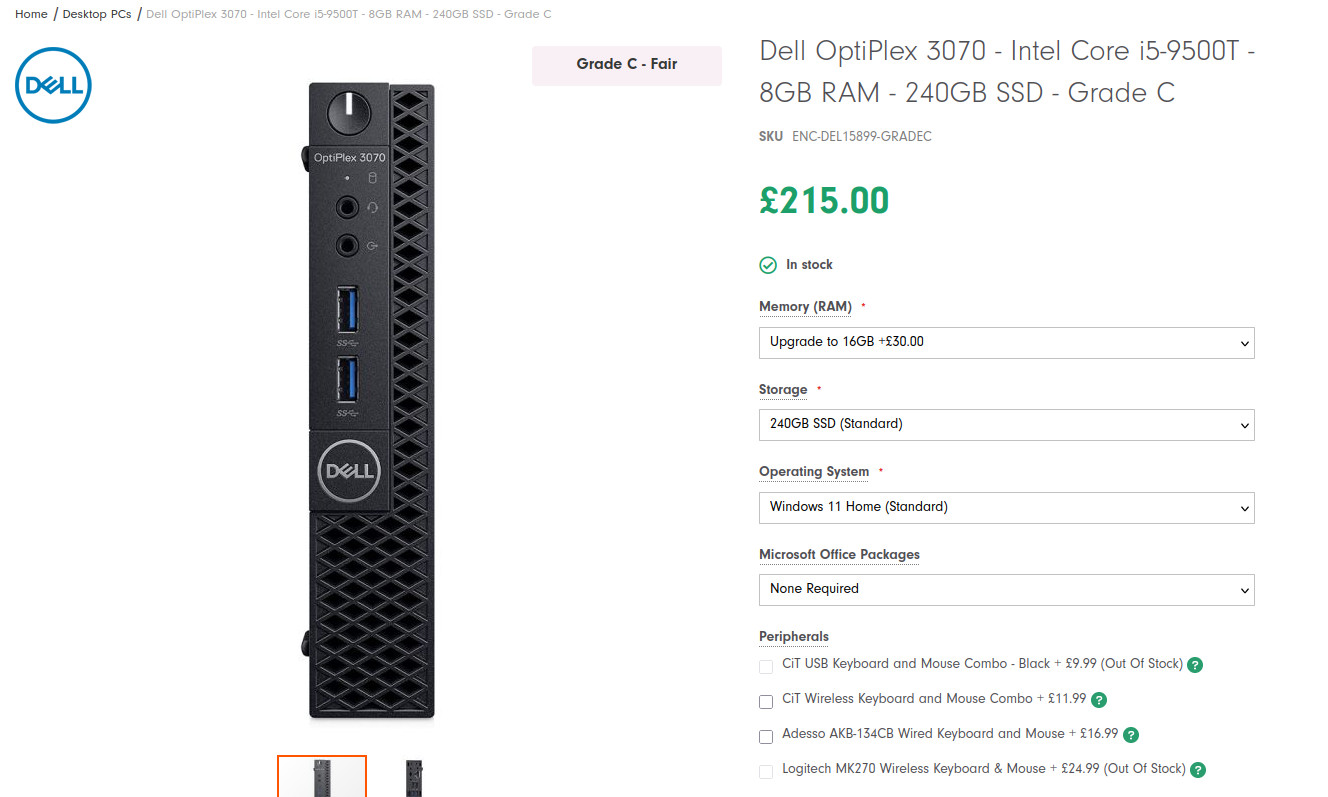
They also list some others, but when it comes to bang-for-your-buck, the above listing puts Stone Refurb on my map.
eBay
Unlike Stone Refurb with its limited stock, eBay is incredibly extensive. People always sell PCs, so let's see if we can find our dream pick here!Immediately, I searched for the same model we found on Stone Refurb, and surely enough I found a result that beats the price of that listing, with even more options for memory, storage and even processor! When comparing the same specs, this eBay listing comes out at £130, which is over £80 cheaper!
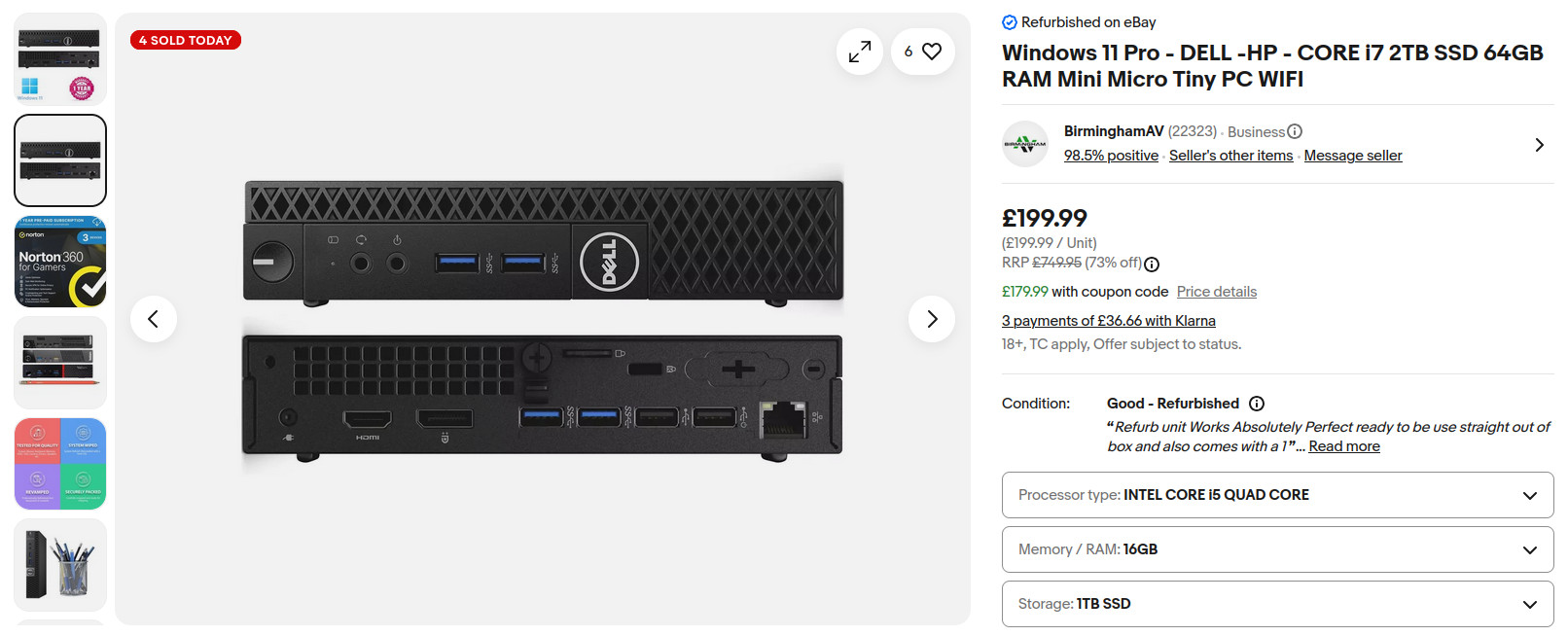
Really not bad at all, especially considering I can upgrade to a 1TB SSD to make the price £200. I think, regardless of where I shop, I'm going to have to go through eBay for the best price options.
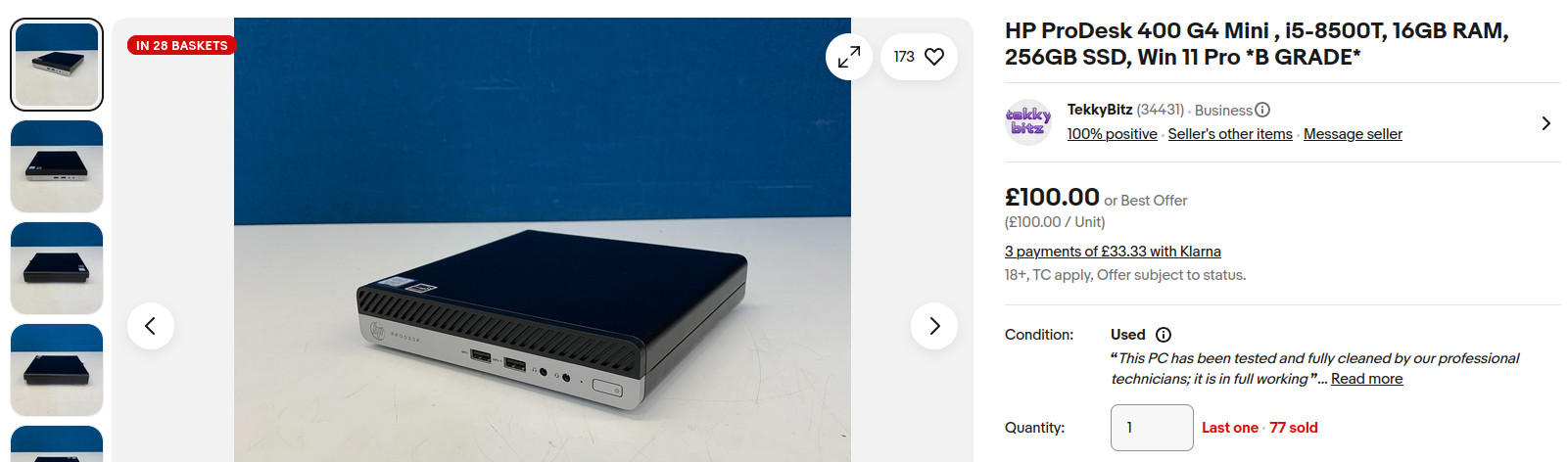
Looking through eBay, I also found this option. For only £100, you can get 16GB of RAM, an 8th Gen Core i5, and 240GB SSD storage (which we would replace). Really not a terrible listing at all, in fact it's a super good deal.
Now that we've mapped out some good options, I have a bit of a choice to make.
What's the final option?
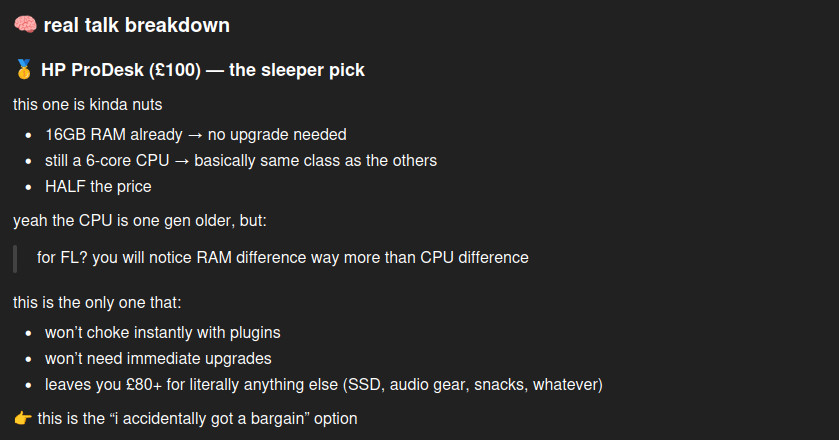
Terrible question. If you had half a brain (sorry was that mean?) you'd know that the £100 HP ProDesk is an ABSOLUTE STEAL. 16GB RAM and a pretty decent CPU, only for one hundred bucks.You literally cannot possibly consider the other options when looking at this thing, and it's being sold by some random guy who had a few spare on a random Sunday. Even ChatGPT agrees!
Now all we need to do is figure out how we're going to set this thing up.
How we're going to configure this thing
I've got a clear idea of how I'm going to set this thing up to meet my standards. Fair bit of warning, there's a lot of technical jargon here! Here's how it'll go:Operating System
I'm going to be going with a very specific version of Windows for this system. The full title is "Windows 10 LTSC 21H1", and we're choosing this because:- Its default installation is very minimal, containing only what's necessary to make the computer run. This makes the debloating process unnecessary, saving a lot of time and energy
- A Microsoft isn't required to install this thing. In fact, it doesn't even come with Microsoft Store!
- There's a torrent of this specific version I found that allows you to configure some specific things before installation, such as disabling automatic updates and some other annoying Microsoft shit
Tailscale
Tailscale is a service that allows you to run a virtual private network, uniting devices that exist on separate physical networks. What this basically means is that we can connect to this thing from anywhere, and instead of associating it with an IP (which can change every so often, making it unreliable) it's linked to an account.We're gonna need this for connecting to the PC remotely, especially if we end up going for a VNC connection instead of something like Parsec for the frontend.
Frontend
We're going to need to actually be able to interface with the system, so we'll need to choose a method to do this. Here's what we're doing:- Parsec - Optimized for doing creative work and allows running headlessly via its own display driver. Perfect solution, low latency, overall brilliant.
- VNC - Easy to set up, effortless due to Tailscale, natively great. Great for a basic backup in the event Parsec' servers go down or it logs my account out of the Parsec client.
We're going with both because having a backup never hurts, and it turns out Parsec LOVES randomly signing me out of its clients. Whatever.
Now that we've planned everything out and it's on its way, let's come back when everything arrives.
Actually quite a while after it arrived
I've fully set up the machine and I've been using it to work on music for a good while. It's great because I don't need to be at my PC, I can work at it from my laptop in bed before I sleep! Love that for me.It's also super convenient to have all my projects in one place, instead of transferring all my shit from one place to another all the time. I heavily recommend this setup for someone who LOVES FL studio but wants Linux. It's an investment, but honestly not much more expensive than the cheapest FL Studio license so it can't be that bad!